ATS Resume Tips
ATS Resume Optimization: Formatting, Keywords & Scores
An ATS-optimized resume is easy for software to parse, clearly relevant to one job, and convincing when a recruiter reads it. The safest default is a text-based, single-column document with standard section headings, conventional job titles, consistent dates, and job-specific keywords supported by evidence.
That is the short answer. The important details are what "easy to parse," "relevant," and "supported by evidence" actually mean.
Editorial standard: This guide separates confirmed platform behavior from general resume advice. Platform claims are linked to first-party documentation from Workday, Greenhouse, Lever, iCIMS, Oracle, and SAP. Recommendations are intentionally conservative because an employer can change its ATS configuration, parser, integrations, questions, and workflow. The sources and product notes were reviewed on July 12, 2026.
ATS Optimization at a Glance
| Check | Safer choice | Riskier choice |
|---|---|---|
| Layout | One column with a clear top-to-bottom order | Sidebars, overlapping columns, text boxes |
| Contact details | Plain text in the document body | Icons only, header/footer, image banner |
| Section names | Summary, Experience, Skills, Education | My Journey, What I Know, Selected Wins |
| File | Text-based PDF or DOCX, following the portal's instructions | Scanned PDF, JPG, PNG, design export with flattened text |
| Keywords | Exact terms used naturally with proof | Keyword dumping, repetition, hidden white text |
| Job titles and dates | Complete titles and consistent month/year dates | Abbreviations, decorative timelines, inconsistent formats |
| Evaluation | Parse accuracy, must-have fit, evidence, and readability | Chasing an unexplained match percentage |
If you have only five minutes, apply the safer choices in this table, upload the file, review every field the application pre-fills, and correct any errors before submitting.
How to Beat ATS Resume Screeners Without Tricks
"Beating" an ATS means removing avoidable reasons your qualifications may be missed. It does not mean manipulating the system.
- Confirm that you meet the job's real minimum conditions.
- Use a text-based PDF or DOCX accepted by the employer.
- Keep one clear reading order with standard section headings.
- Put contact details, titles, employers, and dates in plain text.
- Tailor the summary, skills, and strongest bullets to one job description.
- Use exact names for tools, credentials, methods, and licenses when accurate.
- Support important keywords with actions, context, scope, and outcomes.
- Review screening-question answers and every field populated after upload.
Avoid hidden text, copied job-description paragraphs, fake metrics, inflated titles, and keyword repetition. Those tactics cannot create missing qualifications and may make the application less credible.
Use the free resume keyword scanner guide for the matching workflow and the automatic rejection diagnostic when applications fail unusually quickly.
What ATS Optimization Really Means
An applicant tracking system is not simply a robot that accepts or rejects a resume after counting keywords. It is software used to collect applications, extract resume data, organize candidate records, support search and filtering, and move applicants through a recruiting process.
Resume optimization therefore has three separate goals:
- Parsing: Can the system extract your name, contact details, employers, job titles, dates, education, and skills correctly?
- Matching: Does your application use clear language that connects your experience to the role's real requirements?
- Human review: Once a recruiter opens the profile or resume, is the evidence credible, relevant, and easy to skim?
A resume can succeed at one goal and fail at another. A perfectly parsed resume may still be a poor match. A qualified candidate may have the right experience but hide it behind vague wording. A strong visual design may look excellent to a person yet populate the application fields incorrectly.
The objective is not to "beat" the ATS. It is to remove avoidable ambiguity between your experience, the job description, the software, and the recruiter.
ATS-Friendly Formatting: The Parsing-Safe Standard
No design is guaranteed to parse perfectly in every employer's technology stack. ATS products can use different parsers, integrations, settings, and custom application fields. Still, a conservative structure reduces the number of things that can go wrong.
Use this file-format decision rule
- If the employer names a required file type, use it.
- If the portal accepts PDF and provides no other instruction, use a text-based PDF that passes the copy-and-paste test.
- If the PDF uploads but fields parse incorrectly, correct the fields and use DOCX for the next application on that portal when allowed.
- If the portal rejects the file, reduce its size, remove security restrictions, or export a clean DOCX; do not convert it to an image.
- Keep both PDF and DOCX master exports so you can respond to portal-specific behavior without rebuilding the resume.
Use one clear reading order
Put the main content in a single column, from top to bottom:
- Name and contact information
- Professional summary
- Skills
- Work experience
- Projects, if relevant
- Education
- Certifications or additional sections
You can move education higher for a student or recent graduate. You can move projects higher for a career changer. What matters is that a reader—and a parser—does not have to guess whether to read down a sidebar or across the page.
Greenhouse's current troubleshooting guidance specifically lists columned layouts, tables, text boxes, headers, footers, graphics, photos, and WordArt among formatting patterns that can cause partial or unsuccessful parses. That does not mean every two-column file fails in every system. It means one column is the lower-risk application format. See the Greenhouse resume parsing guidance.
Keep contact details in plain text
Use a simple contact line near the top of the document body.
Safer:
Maya Chen
Toronto, ON | 416-555-0142 | maya.chen@example.com
linkedin.com/in/mayachen | mayachen.dev
Riskier:
A phone icon, envelope icon, location pin, and LinkedIn logo with no text labels, all placed inside a graphic header.
Do not put essential contact information only in the document's header or footer. A human may see it while a parser drops it or associates it with the wrong field.
Use standard section headings
Standard headings help a parser classify the text that follows.
| Use | Avoid as the only heading |
|---|---|
| Professional Summary | Who I Am |
| Work Experience | My Journey |
| Skills | What I Bring |
| Education | Learning Path |
| Certifications | Credentials & More |
| Projects | Things I Built |
Personality belongs in the writing and evidence, not in labels that make the structure harder to identify.
Write complete job titles, employers, and dates
Keep every work entry internally consistent:
Senior Account Executive
Northstar Software, Austin, TX
January 2023–Present
Avoid abbreviations when the complete title is easy to write. Greenhouse uses "Senior Account Executive" versus "Sr. Account Exec" as an example of a complete title that is easier to interpret. You can add a clarifying industry-standard title in parentheses if an internal title is unusual:
Customer Hero (Customer Support Specialist)
Do not change your title to a more senior role you did not hold. Clarification should improve understanding, not inflate seniority.
Choose one date style and use it throughout:
January 2023–PresentJan 2023–Present01/2023–Present
Month and year are usually enough. Decorative timelines and date ranges separated from the related employer create unnecessary parsing risk.
Keep important text out of graphics and text boxes
Logos, skill bars, charts, photographs, and infographic timelines rarely add useful evidence. They can also increase file size or turn meaningful information into content that a parser cannot reliably extract.
Replace a visual skill meter like this:
Excel ▰▰▰▰▱
with a specific, searchable statement:
Analytics: Excel (Power Query, PivotTables, XLOOKUP), Power BI, SQL
The second version communicates tools and depth without asking software or a recruiter to interpret an unlabeled four-out-of-five rating.
Use ordinary typography and bullets
You do not need to use only Arial or Times New Roman. You do need readable text with recognizable characters.
- Use a common, legible font.
- Keep body text large enough to read comfortably.
- Use normal round bullets or simple hyphens.
- Maintain sufficient color contrast.
- Avoid letter spacing that visually separates every character.
- Do not use symbols as substitutes for words.
Parsing guidance from Greenhouse notes that words created with spaces between individual letters can be misread even when they look cohesive on screen.
Choose PDF or DOCX based on the application instructions
There is no honest rule that says one file type wins everywhere.
- Use the format the employer requests.
- If both PDF and DOCX are accepted, a clean text-based PDF preserves layout well; a simple DOCX is also widely parseable.
- Never upload a scanned resume or an image file when a document is requested.
- Verify that you can select and copy the text from the exported PDF.
- Keep a DOCX version available in case a portal rejects or misreads the PDF.
Lever's official documentation says its parser accepts Word, PDF, RTF, HTML, and OpenDocument files but does not parse JPG or PNG images. It also recommends the selection test: if you cannot highlight the document text with a cursor, the file is probably not parseable. See Lever's resume parsing documentation.
Concrete Formatting Example: Before and After
Imagine a two-column marketing resume with a left sidebar containing contact details, skills, and education. The right column contains the summary and experience. The name sits inside a banner image, and dates appear in separate text boxes aligned to the right.
It may look polished, but the extracted text could resemble this:
SEO HubSpot London 2022–2024 Maya Patel Campaign Manager Education Growth Marketing maya@example.com Increased qualified pipeline...
The information exists, but the order and relationships are unclear.
A safer version would read:
Maya Patel
London, UK | maya@example.com | linkedin.com/in/mayapatel

PROFESSIONAL SUMMARY
B2B growth marketer with 5 years of experience in lifecycle campaigns,
paid acquisition, HubSpot automation, and pipeline reporting.

SKILLS
Lifecycle marketing, HubSpot, Google Ads, GA4, campaign reporting, lead scoring

WORK EXPERIENCE
Campaign Manager | Acme Cloud | March 2022–Present
- Built segmented email nurture programs in HubSpot, increasing
  marketing-qualified leads from mid-market accounts by 24% year over year.
The safer version is still designed. Its hierarchy comes from spacing, type weight, and restrained color—not from containers that separate related content.
How to Analyze a Job Description for ATS Keywords
Keyword optimization starts with job analysis, not with copying a vocabulary list from the internet.
Step 1: Separate requirements by importance
Read the posting and classify its language into four groups.
| Group | Signals in the job description | What to do |
|---|---|---|
| Must-have qualifications | Required, must have, minimum, certification, license | Make truthful matches easy to find |
| Core responsibilities | Repeated tasks and the first items in the responsibilities list | Prove similar work in recent bullets |
| Tools and domain language | Software, methods, regulations, customer type, industry terms | Use exact names when accurate |
| Nice-to-have signals | Preferred, bonus, a plus, exposure to | Include only when true and useful |
Also identify application questions that may act as minimum screens: work authorization, location, license, language, availability, security clearance, or willingness to travel. Resume wording cannot compensate for a required qualification you do not have.
Step 2: Build a keyword evidence map
For every important term, record where your proof comes from.
| Job requirement | Your evidence | Where it belongs |
|---|---|---|
| Salesforce reporting | Built weekly pipeline dashboard for sales leaders | Experience bullet and skills |
| B2B SaaS | Supported software clients for three years | Summary and recent role |
| Cross-functional leadership | Led launch with product, sales, and support | Experience bullet |
| SQL | Used joins and CTEs for retention analysis | Skills, project, and bullet |
| PMP certification | Active PMP, earned 2024 | Certifications |
If you cannot complete the evidence column honestly, do not force the keyword into the resume. Treat it as a gap, an adjacent skill, or a learning priority.
Step 3: Match exact terms and natural variants
Exact wording matters most for named tools, credentials, methodologies, and regulated qualifications:
Salesforce, not onlyCRM platformProject Management Professional (PMP), not onlyproject certificationAmazon Web Services (AWS), followed byAWSin later mentionsSearch engine optimization (SEO), followed bySEO
Natural variants help human readability and semantic matching:
- customer retention / reduced churn risk / renewal strategy
- people management / led a team of six / coached direct reports
- data visualization / dashboard development / Tableau reporting
Do not repeat the same exact phrase in every section. Use the job's language where it is accurate, then show what the skill looked like in practice.
Step 4: Put important terms where they have context
A keyword is stronger in an evidence-based bullet than in a skills list alone.
Weak:
Agile, Jira, stakeholder management, risk management, roadmaps
Better:
Managed a Jira roadmap for three customer-facing releases, coordinating engineering, design, and support stakeholders while tracking scope, dependencies, and launch risks.
The better version contains searchable terms and tells a recruiter what you actually did.
Step 5: Review density without keyword stuffing
There is no universal correct number of keywords and no defensible rule that every resume needs 15, 25, or 40 terms. A specialized engineering role may legitimately require many named technologies. A general operations role may depend more on responsibilities, scope, and outcomes.
Ask instead:
- Are all true must-have qualifications visible?
- Do the top responsibilities appear in the summary or recent experience?
- Are named tools written exactly at least once?
- Does every major skill have supporting evidence?
- Does the wording still sound natural when read aloud?
If the final answer is no, revise the evidence. Do not paste a hidden keyword block.
Use Resume Job Match to compare your draft with a specific posting, then use Resume Skills Check to find important skills that are missing, buried, or unsupported.
End-to-End Keyword Optimization Example
Suppose a project manager posting repeatedly asks for:
- cross-functional software implementations
- stakeholder communication
- risk and dependency management
- Agile delivery
- Jira and Confluence
- launch reporting
- experience working with enterprise customers
The candidate's original summary says:
Results-driven professional with excellent communication and organizational skills. Experienced in managing multiple projects and working with teams to meet goals.
The statement is not false, but it gives the parser and recruiter almost no role-specific evidence.
A tailored summary could say:
Project manager with 6 years of experience delivering enterprise software implementations across product, engineering, customer success, and operations. Uses Jira and Confluence to manage Agile delivery, dependencies, launch risks, and stakeholder reporting.
Now map each major requirement to proof:
| Job signal | Candidate proof | Resume placement |
|---|---|---|
| Software implementation | Led CRM rollout across three business units | First bullet in recent role |
| Cross-functional work | Coordinated engineering, sales operations, enablement, and support | Same bullet or second bullet |
| Risk and dependencies | Maintained risk log and dependency plan | Evidence bullet |
| Jira and Confluence | Managed sprint plan and decision documentation | Skills plus evidence bullet |
| Enterprise customers | Delivered onboarding program for 14 strategic accounts | Summary and experience |
| Launch reporting | Presented weekly status, adoption, and escalation report | Evidence bullet |
Original bullet:
Responsible for managing a CRM project and communicating with stakeholders.
Optimized bullet:
Led a CRM implementation across three business units, managing the Agile delivery plan in Jira, documenting decisions in Confluence, and reporting dependencies and launch risks to engineering, sales operations, enablement, and support leaders.
Stronger version with a verified outcome:
Led a CRM implementation across three business units, managing Agile delivery in Jira and cross-functional decisions in Confluence; resolved 18 launch dependencies and completed the rollout two weeks before the quarter-end reporting deadline.
Notice what did not happen:
- No requirement was copied without evidence.
- No arbitrary keyword count was used.
- No fake metric was added.
- No unrelated skills were deleted merely because they were absent from the posting.
- No claim was made that the revised bullet guarantees an interview.
The optimization worked because it reduced ambiguity. It connected the employer's language to a specific action, operating context, tools, collaborators, and result.
ATS Scores: What They Measure—and What They Do Not
"What ATS score do I need?" sounds like a precise question, but it combines several different evaluations.
1. Parse quality
This is whether the system extracts fields correctly. A parse can be complete, partial, or unsuccessful. It is not necessarily shown to the candidate as a percentage.
2. Minimum qualification screening
Employers can use application questions and recruiter workflows to identify candidates who meet required conditions. A truthful "no" to a legally necessary license or work authorization question may matter more than the wording of the resume.
3. Recruiter search and filters
Once candidate data is stored, recruiters may search for skills, titles, experience, certifications, or other fields. Workday's overview explains that ATS software can extract education, skills, and work history into structured profiles, while recruiters may search and filter those profiles. See Workday's ATS overview.
4. Matching or ranking
Some platforms or connected tools can recommend, match, rank, or grade candidates against job criteria. The exact method depends on the employer's product, configuration, data, and policies. It is not one shared algorithm used by Workday, Greenhouse, Lever, iCIMS, Oracle, and every other recruiting stack.
5. Third-party resume checker scores
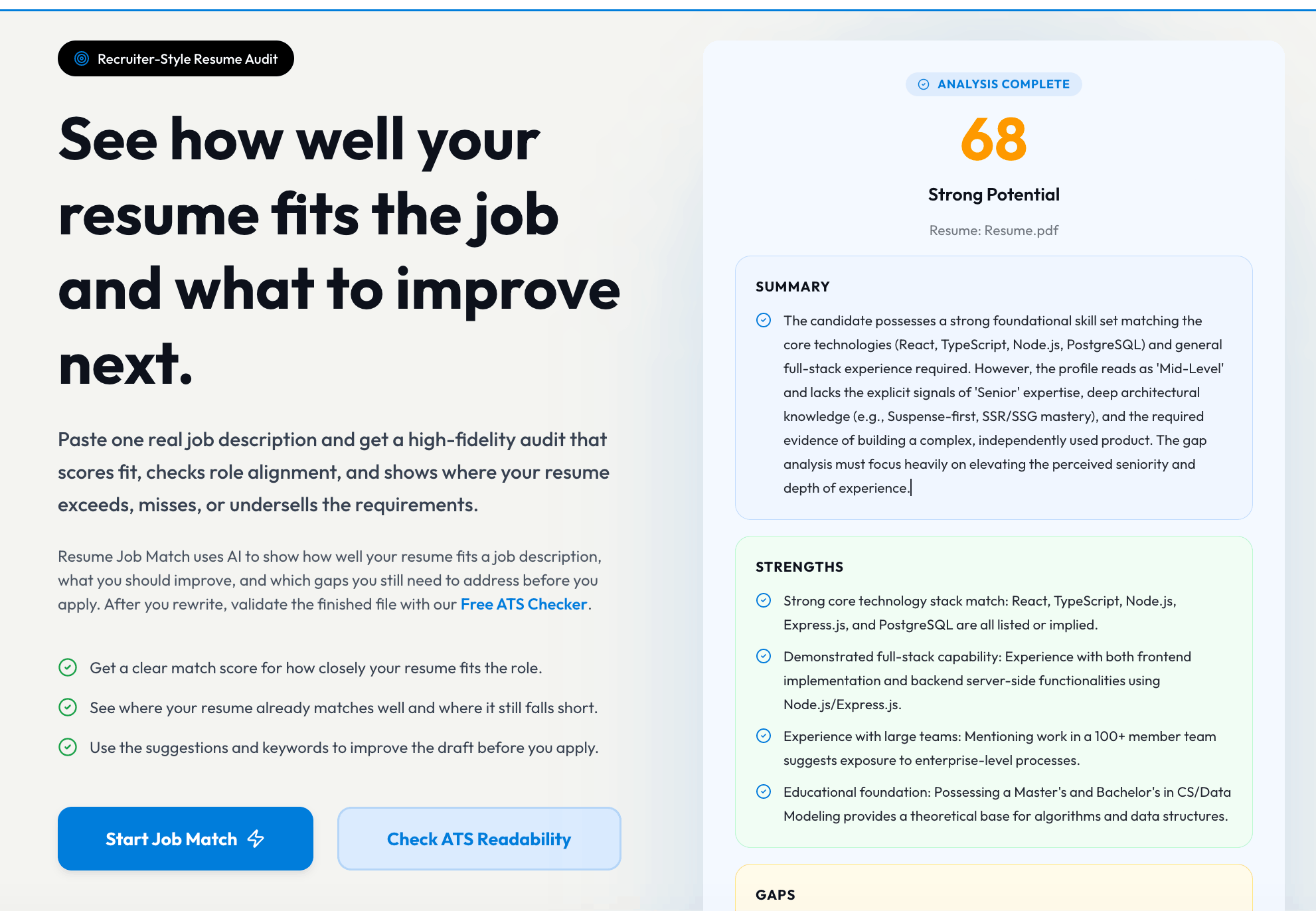
Resume tools often create their own match percentages based on keyword coverage, formatting, section completeness, or writing quality. These can be useful diagnostics, but they are not a view into the employer's private ATS configuration.
Bottom line: there is no universal ATS pass score. A claim such as "you need 80% to pass every ATS" is not a reliable industry rule.
Use a score to locate weaknesses, not to certify that an interview will follow.
A Canonical ATS Resume Structure
Use this outline when you need a dependable starting point. The labels are intentionally conventional.
FULL NAME
City, Region | Phone | Professional email | LinkedIn | Portfolio

PROFESSIONAL SUMMARY
Target role, level or years of relevant experience, domain, and two or three
evidence-backed strengths.

SKILLS
Grouped hard skills, tools, methods, languages, or credentials relevant to the role.

WORK EXPERIENCE
Job Title | Employer | Location | Month Year–Month Year
- Action + object + context + result
- Action + tool or method + scope + outcome

PROJECTS
Project Name | Role or context | Date
- Problem, action, tools, output, and result

EDUCATION
Degree | Institution | Location | Graduation year

CERTIFICATIONS
Certification name | Issuer | Year | Expiration, if relevant
Not every resume needs every section. Remove empty sections. Add publications, research, clinical experience, clearances, licenses, awards, or volunteering when the target role values them. Keep the naming explicit.
A Transparent 100-Point ATS Resume Self-Audit
The rubric below is a ResumeGenCV editorial checklist. It is not an employer's ATS score. Its value comes from showing exactly what is being evaluated.
| Category | Points | Full-credit criteria |
|---|---|---|
| Parseability | 25 | Text-based file, one clear reading order, standard headings, plain-text contact details, consistent titles and dates |
| Must-have coverage | 25 | Every qualification you genuinely meet is easy to find; named tools and credentials use accurate wording |
| Evidence quality | 25 | Priority skills are supported by actions, context, scope, and outcomes rather than listed alone |
| Recruiter clarity | 15 | Target role is obvious, strongest proof appears early, bullets are concise, irrelevant content is reduced |
| Accuracy and integrity | 10 | Claims are truthful, current, internally consistent, and defensible in an interview |
How to assign the points
Parseability: 0–25
- 5 points: name and contact details are plain text in the body
- 5 points: layout has one unambiguous reading order
- 5 points: headings use standard labels
- 5 points: employers, titles, and dates are consistently formatted
- 5 points: exported text copies in the correct order with no missing sections
Must-have coverage: 0–25
- 10 points: true minimum qualifications are prominent
- 5 points: important tools, certifications, and methods use exact names
- 5 points: the top two or three responsibilities appear in recent evidence
- 5 points: the summary and skills are tailored to the target role
Evidence quality: 0–25
- 10 points: core skills are demonstrated in experience or projects
- 5 points: bullets state what you did, not only what you were responsible for
- 5 points: scale, frequency, audience, stakes, or tools add context
- 5 points: credible outcomes or useful qualitative results are included
Recruiter clarity: 0–15
- 5 points: the target role and level are clear in the top third
- 5 points: the most relevant experience receives the most space
- 5 points: a recruiter can find the strongest proof in a quick scan
Accuracy and integrity: 0–10
- 5 points: titles, dates, credentials, and metrics are accurate
- 5 points: every important claim can be explained in an interview
Interpret the total as a revision guide:
- 90–100: Ready for a final proofread and portal test
- 75–89: Strong base with a few visible gaps
- 60–74: Relevant content may be buried, generic, or weakly supported
- Below 60: Rebuild the structure and evidence before polishing design
Do not add untrue experience just to increase the total. An honest gap is safer than a claim that fails verification.
ATS Platform Compatibility: What Major Systems Confirm
The following notes summarize public vendor documentation reviewed in July 2026. An employer's implementation can differ, and the instructions on the application page always take priority.
| Platform | What public documentation confirms | Safest candidate action |
|---|---|---|
| Workday | ATS parsing can extract education, skills, and work history into structured profiles; recruiting workflows may also use search, filters, matching, and configured criteria | Use standard headings, clear skill context, and complete application fields; review any information the portal asks you to enter manually |
| Greenhouse | Candidate uploads can include DOC, DOCX, PDF, RTF, and TXT; its parser guidance warns about graphics, images, tables, headers, footers, text boxes, columns, unclear sections, and oversized files | Upload a simple PDF or DOCX, keep core content out of containers, and verify the fields populated from the resume |
| Lever | The parser accepts several document formats including Word, PDF, RTF, HTML, and OpenDocument; it cannot parse JPG or PNG resume images | Confirm the file has selectable text and use a straightforward document layout |
| iCIMS | Resume parsing can extract data from Word or PDF documents into structured, searchable candidate information; the exact candidate flow can vary by employer | Upload the resume before completing fields when prompted, then review and correct the profile data |
| Oracle Taleo | Resume parsing can populate candidate fields; supported formats and size limits can depend on administrator configuration, and language alignment can affect processing | Follow that employer's upload instructions exactly, keep a plain-text fallback, and check all extracted fields |
| SAP SuccessFactors | Resume parsing maps extracted information into configured candidate-profile fields; SAP notes that parsing is not always fully accurate and can use a third-party parser | Prefer a clean text-based PDF or DOCX, supply clear country and contact data, and verify the candidate profile after upload |
Official references:
- Workday: What is an applicant tracking system?
- Greenhouse: Supported candidate upload formats
- Greenhouse: Unsuccessful resume parse
- Lever: Understanding resume parsing
- iCIMS: What is CV/resume parsing?
- Oracle Taleo: Candidate management and resume parsing
- SAP SuccessFactors: Configuring resume parsing
The common lesson is more useful than memorizing each vendor's file list: submit readable document text, use recognizable structure, and validate the data after upload.
Compatibility does not mean identical behavior
The ATS brand visible in a career-site URL does not reveal the employer's complete screening process. Employers can configure custom fields, screening questions, permissions, workflows, integrations, and add-on matching tools. The same platform may behave differently across two companies.
That is why this guide avoids claims such as "Workday requires DOCX" or "Greenhouse rejects columns." Public documentation supports more careful conclusions: common document formats are accepted, parsers extract structured information, complex formatting can cause errors, and candidates should verify populated data.
Special Cases
Creative, design, and portfolio roles
Use a clean ATS version for portal submission and put a portfolio link in plain text near the top. If a recruiter asks for a designed resume or presentation, send that as a separate human-facing asset. Do not make a visual resume carry the full burden of both parsing and portfolio review.
Academic, medical, and research CVs
Length is not automatically an ATS problem. A detailed CV may legitimately include publications, appointments, grants, teaching, research, clinical work, conferences, and professional memberships. Use standard headings, consistent citation formats, and a clear hierarchy. Follow the institution's requested document type and application fields.
Non-English and multilingual resumes
Parsing language coverage differs by platform and configuration. Write in the language requested by the job or application, use consistent regional date and credential conventions, and review all extracted fields. Greenhouse, for example, publishes a current list of languages with full parsing support, including English, Romanian, French, German, Spanish, and many others. See Greenhouse's language support documentation.
If a role requires multiple languages, state proficiency with a recognizable scale when possible, such as CEFR (B2, C1) or an employer-requested standard. Do not translate official qualification names so freely that verification becomes difficult.
Applications that require manual work history
Treat the application fields as part of the application, not as an annoying duplicate to rush through. The structured record may be what recruiters search, filter, or export. Match employer names, job titles, and dates to the resume; explain only legitimate differences, such as a legal employer name versus a public brand.
How to Test a Resume Before Submitting
Run these checks on the exact file you plan to upload.
1. The selection test
Open the PDF. Can you highlight your name, headings, dates, and bullets as text? If not, export a text-based file rather than a scan or flattened image.
2. The copy-and-paste test
Select all text, copy it, and paste it into a plain-text editor. Check:
- Does your name appear first?
- Are the contact details complete?
- Does each job title stay beside the correct employer and date?
- Do sections appear in the intended order?
- Are any bullets, skills, or characters missing?
This test does not reproduce every ATS parser, but it catches flattened text and obvious reading-order problems.
3. The application-field test
After upload, review the fields the portal pre-fills. Correct names, locations, employers, titles, dates, schools, and links. Do not assume a successful upload means a perfect parse.
4. The job-match test
Compare the resume with the posting and mark each must-have, top responsibility, named tool, certification, and domain term. Confirm that every claimed match has evidence.
5. The human skim test
Ask someone to read the resume for 20 seconds, then tell you:
- the role you want
- your most relevant recent experience
- your two or three strongest qualifications
- one measurable or concrete result
If they cannot answer, the document may be parseable but still too vague.
You can also run the file through the free ATS checker for a structured review.
Common ATS Optimization Myths
"The ATS automatically rejects every resume with columns"
Not necessarily. Some parsers handle some columns. The practical issue is risk: complex reading order can scramble or misclassify content, and major vendor guidance identifies columns as a possible parsing problem. A one-column application resume is the safer default.
"PDF always fails ATS"
False. Major platforms accept PDF. The PDF must contain readable document text, and the application must allow that file type. Follow the employer's instructions.
"DOCX always beats PDF"
Also false. Both are widely used. A simple DOCX can parse well; a text-based PDF can parse well and preserve layout. Keep both and submit the requested format.
"An ATS score above 80 guarantees an interview"
No. The percentage may come from a third-party tool with its own rubric. Employers evaluate different requirements and may use screening questions, searches, workflows, assessments, or human review.
"Repeating a keyword increases my ranking"
Repetition without evidence makes the resume less useful and may look manipulative. Use a term accurately, add natural variants when helpful, and demonstrate the skill in context.
"White text can hide extra keywords"
Do not use hidden text. It creates content a human cannot see, damages trust, can produce strange extracted text, and does not repair missing qualifications.
"I should copy the job description word for word"
Use accurate shared terminology for real matches. Copying full phrases without connecting them to your experience creates generic claims and can misrepresent your background.
ATS Optimization Glossary
| Term | Plain-language meaning |
|---|---|
| Applicant tracking system (ATS) | Software that stores applications and supports recruiting workflows such as profiles, search, review, stages, and reporting |
| Resume parser | Technology that extracts document text and maps details such as names, employers, titles, dates, education, and skills into fields |
| Candidate profile | The structured record created from the application, uploaded resume, manual fields, and other recruiting data |
| Keyword | A job-relevant term such as a skill, tool, credential, method, title, industry concept, or responsibility |
| Exact match | The same term appears in both documents, such as Salesforce in the job description and resume |
| Semantic match | Related language expresses the same or a similar concept, such as led a five-person team and people management |
| Screening question | An application question used to collect or evaluate a requirement such as authorization, license, location, or availability |
| Knockout question | Informal recruiting term for a screening question whose configured response may remove or deprioritize an applicant |
| Recruiter search | A query or filter used to find candidate profiles based on stored or parsed information |
| Match score | A platform- or tool-specific estimate of alignment; it is not a universal industry measure |
| Parse error | Missing, incorrect, or misclassified information produced when the parser cannot interpret part of a file |
Frequently Asked Questions
How do you beat ATS resume screeners?
You do not need a trick. Use a text-based file with clear structure, meet the real minimum conditions, tailor the resume to one job, use accurate role terminology, support important skills with evidence, verify parsed fields, and answer screening questions truthfully.
What is the best resume format for ATS?
The safest general format is a text-based, single-column PDF or DOCX with plain-text contact details, standard section headings, complete job titles, and consistent dates. Follow the employer's requested file type when one is specified.
What ATS score is needed to pass?
There is no universal ATS pass score. Employers use different platforms, configurations, screening questions, searches, ranking features, and human review. Third-party checker percentages are diagnostic scores, not the employer's private cutoff.
Can an ATS read a PDF resume?
Major ATS platforms can accept and parse text-based PDFs. A scanned or flattened image PDF may not parse reliably. Confirm that the PDF text can be selected and copied, and use the format requested by the employer.
How many keywords should a resume include?
There is no fixed number. Include the true must-have qualifications, named tools, credentials, core responsibilities, and industry terms from the job description, then support priority terms with evidence in experience or project bullets.
Do columns, graphics, and icons cause ATS rejection?
They do not trigger a universal automatic rejection rule, but they can make parsing less reliable. Columns may scramble reading order, and graphics or icons may hide important text. A one-column application resume is the lower-risk default.
Should every application use a tailored resume?
Yes, when the roles differ materially. Tailoring means prioritizing truthful evidence for the target job, using its accurate terminology, and removing irrelevant detail. It does not mean inventing experience or copying the posting word for word.
Final ATS Optimization Checklist
Before every application, confirm that:
- The resume targets one role or closely related role family.
- The file type follows the employer's instructions.
- The exported document contains selectable text.
- The layout has one clear reading order.
- Name and contact details are plain text in the document body.
- Headings use standard names such as Summary, Experience, Skills, and Education.
- Job titles, employers, locations, and dates are consistently formatted.
- Core content is not trapped in images, charts, headers, footers, or text boxes.
- True must-have qualifications are easy to find.
- Named tools, credentials, and methods use accurate terminology.
- Important keywords appear in evidence-based bullets, not only in a skills list.
- The strongest recent bullets show action, context, scope, and results.
- Claims match your LinkedIn profile and application fields where appropriate.
- You can defend every skill, metric, title, and achievement in an interview.
- The portal's pre-filled fields were reviewed and corrected before submission.
ATS optimization is not a one-time formatting trick. It is a quality-control process: make the file readable, make the match explicit, make the evidence credible, and verify what the employer's system received.